How to Create Ultra-Realistic Celebrity Airport Arrival Videos with Seedance 2
Seedance 2.5 enables creators to generate ultra-realistic celebrity airport arrival videos using AI without physical production. The workflow involves creating a stylized character reference from your own photo, then generating viral-style footage with handheld camera movement, chaotic crowds, and documentary realism. This tutorial covers the complete process from character illustration to final 9:16 vertical video optimized for social platforms.
How to Create Ultra-Realistic Celebrity Airport Arrival Videos with Seedance 2.5
Creating realistic celebrity airport arrival videos with AI used to require an expensive production setup. You would need professional film crews, high-end cinema cameras, actors, background extras, location permits, crowd coordination, security choreography, photographers, lighting equipment, visual effects, and extensive post-production. Even with all of that, recreating the unpredictable energy of a real celebrity arrival could be extremely difficult because the scene needed to feel spontaneous rather than staged.
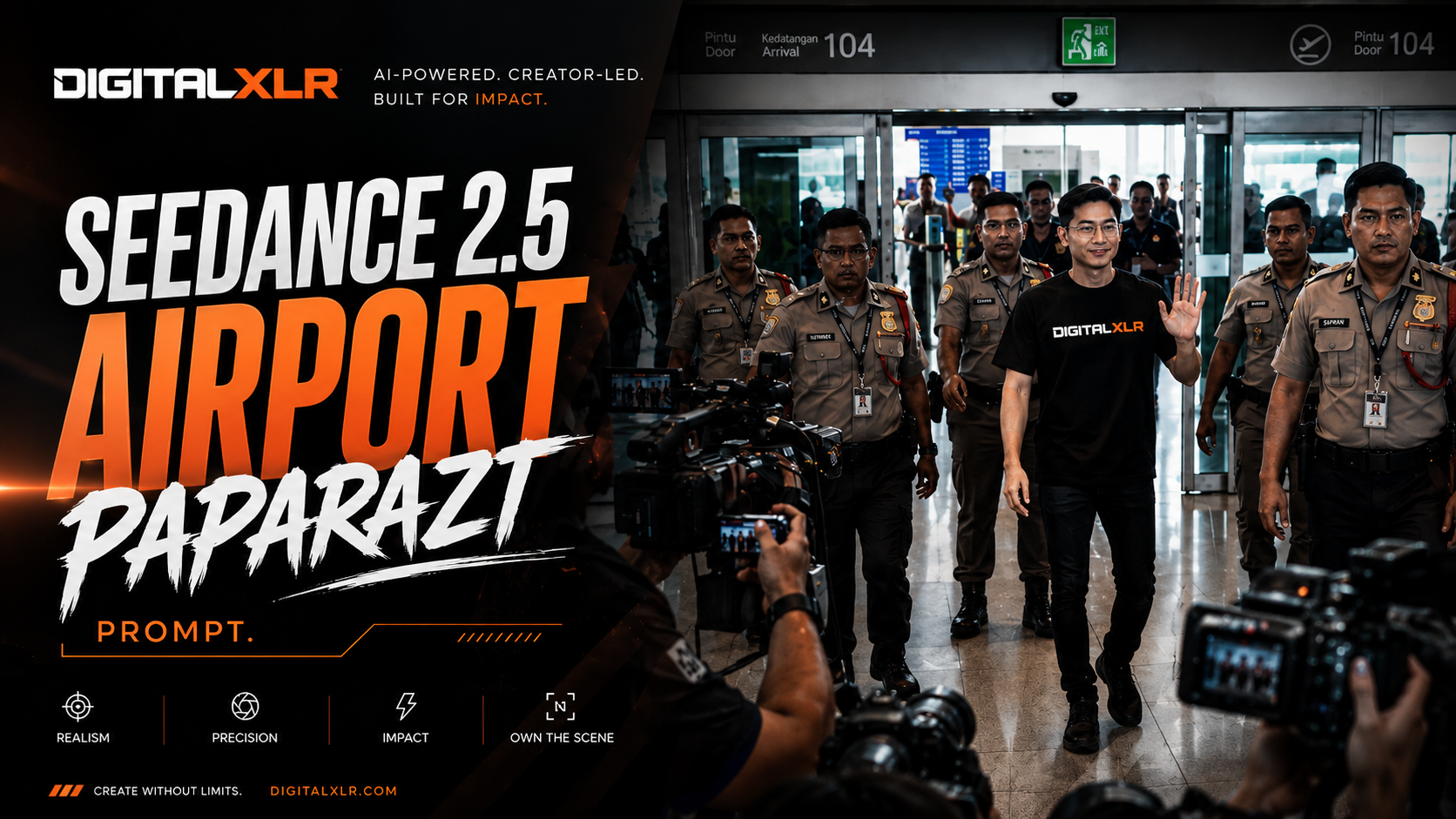
With Seedance 2.5, creators can now generate highly realistic airport paparazzi scenes entirely with AI. Instead of physically organizing hundreds of people inside an airport, you can generate the environment, crowd, security escorts, photographers, camera operators, lighting, reflections, and character performance from a carefully structured prompt.
In this tutorial, you will learn how to create a viral-style celebrity airport arrival video with realistic handheld camera movement, chaotic crowd energy, airport security, media photographers, flashing cameras, natural lighting, and documentary-style realism. The goal is to make the final footage feel like a genuine viral clip captured by someone standing inside the crowd rather than a conventional AI-generated cinematic scene.
The workflow becomes even more interesting when you use your own face as the foundation for the main character. By first creating a stylized character reference, you can establish a consistent visual identity and then place that character inside an entirely fictional celebrity-style airport arrival.
Step 1: Generate an Illustration of Yourself
The first step is to create an illustrated character reference based on your own photograph. Open your preferred AI image generator, select Nano Banana 2, and attach a clear photograph of yourself. For the best result, use an image where your face, hairstyle, facial structure, and other distinguishing characteristics are clearly visible.
Instead of using the original photograph directly, we are going to transform it into a fashion-sketch-style character reference. The resulting image should show the same person from multiple angles, giving the video model additional information about the character's appearance and helping establish a stronger visual identity.
Use this prompt:
Create a fashion sketch illustration of the person from the photo reference. Three views side by side: full body front, medium portrait, full body three-quarter. Style: loose expressive pencil lines with selective watercolor fill. Cool grey-blue palette. White paper space as negative. Skin, light pencil with minimal hatching. Hair, sharp dark ink lines. Keep facial features, hairstyle and all distinguishing features exactly as in the original. Maintain consistent facial proportions and identity across all three views. Do not add accessories or alter the person's appearance.
The purpose of this step is to create a visual character reference that can be used during video generation. Instead of giving the model only one frontal image, the character sheet provides several views of the same person. This gives the model more information about the character's face, hairstyle, body proportions, and overall appearance.
A stylized reference can also be useful when working with AI systems that apply restrictions to certain realistic human generations. The illustration provides a transformed visual reference while still preserving the important characteristics of the original person.
Step 2: Generate the Airport Arrival Video
Once your character illustration is ready, open your preferred AI video generator and select Seedance 2.5. For this example, use a vertical 480 × 854 resolution with a 15-second duration. The 9:16 format is particularly suitable for TikTok, Instagram Reels, Facebook Reels, and YouTube Shorts.
Upload the generated character illustration as the main image reference and use the following prompt. The most important part of this prompt is that it doesn't only describe the character and environment. It also defines how the camera, crowd, security personnel, lighting, and surrounding activity should behave.
Use image 1 as the main character reference. Face must remain perfectly consistent across all frames with no distortion, no morphing, no facial drift, and no identity changes.

CHARACTER:
A calm and confident Asian man with short black hair, a relaxed expression, and a thin natural smile.

OUTFIT LOCK — MANDATORY:
Black fitted T-shirt with the word "DIGITALXLR".
Black skinny jeans.
The outfit must remain exactly the same throughout the entire video.
No clothing changes.
No accessory changes.
No hairstyle changes.

STYLE:
Ultra-realistic hybrid cinematic documentary style with subtle IMAX-inspired visual quality. The footage should look like genuine real-world footage captured during a chaotic celebrity airport arrival. Avoid the appearance of CGI, animation, video-game graphics, artificial skin, plastic faces, or overly polished AI-generated footage.

CAMERA:
One continuous handheld shot with no cuts. The camera is operated by a person standing inside the crowd. Use realistic handheld micro-shakes, imperfect framing, occasional focus hunting, and partial obstruction from heads, shoulders, hands, and raised smartphones. The camera operator should react naturally to crowd pressure. Camera movement must never feel robotic or perfectly stabilized. Do not use overly smooth cinematic camera movement.

FEEL:
Chaotic, crowded, intense, unpredictable, exciting, spontaneous, and realistic. The scene should feel like a viral celebrity airport arrival captured by fans and media.

LOCATION:
A large modern Malaysian airport inspired by a major international airport. Massive glass walls with natural daylight pouring through them, polished reflective floors, airport information displays, automatic arrival doors, security barriers, local security officers, media photographers, fans holding smartphones high above their heads, and crowd-control barricades. The airport should feel busy, functional, modern, and believable.

AUDIO:
Natural environmental audio only. Layered crowd screaming, overlapping voices, people shouting the character's name "Adam", rapid camera shutter sounds, smartphone recording sounds, distant Malaysian airport announcements, footsteps, clothing movement, people talking over each other, and realistic indoor airport echo and reverberation. Do not use dramatic movie sound effects or artificial cinematic impact sounds.

LIGHTING:
Natural daylight coming through the large airport windows. Soft realistic shadows, natural reflections on polished floors, subtle atmospheric haze, and realistic exposure changes as the camera moves through the crowd. Natural reflections should interact with the character's face and clothing.

CAMERA POSITION:
The camera is positioned inside the crowd at approximately shoulder height. The camera operator is surrounded by people. Other people frequently move between the camera and the main character. The camera struggles to maintain a clear line of sight.

TIMELINE — STRICT:

0.0–2.5 SECONDS:
The camera is trapped inside a dense and chaotic crowd near the airport arrival gate. People push forward aggressively. Raised smartphones block portions of the frame. Several people attempt to record the arrival. The camera shakes naturally as people move around the operator. The arrival doors are visible in the distance. The atmosphere is loud and chaotic.

2.5–5.0 SECONDS:
The camera lifts slightly above shoulder level as the operator tries to see the arrival gate. Focus naturally shifts between nearby crowd members and the automatic arrival doors. Several camera flashes appear. Security officers begin controlling the crowd. People continue pushing toward the arrival area. The camera remains imperfect and unstable.

5.0–7.5 SECONDS:
Security officers hold the barricades as the crowd surges forward. The camera shakes from physical pressure. The main character becomes visible between gaps in the crowd. He initially appears partially obscured and slightly out of focus. As he moves closer, the camera naturally finds focus on him. The character walks calmly with a small security escort. The contrast between his calm behavior and the chaotic crowd should feel realistic.

7.5–9.0 SECONDS:
The camera naturally pushes closer toward the character. He gradually becomes centered in the frame. He calmly raises one hand and slowly waves toward the crowd. He gives a confident, subtle thin smile. The surrounding crowd becomes louder. Fans raise their smartphones higher. Photographers take rapid photographs. Camera flashes briefly illuminate the scene. Airport reflections move naturally across the character's face and clothing.

9.0–10.0 SECONDS:
The character continues walking past the crowd. The camera struggles to follow him. People move between the camera and the character. Raised smartphones partially block the frame. The camera operator attempts to maintain visual contact. The footage ends while the environment remains chaotic and active.

PHYSICS AND REALISM:
Continuous crowd movement, realistic human motion, natural body weight, natural walking mechanics, realistic clothing movement, authentic smartphone movement, natural camera shake, realistic reflections, natural lighting behavior, realistic depth of field, imperfect autofocus, and natural crowd interaction. No artificial smoothness and no impossible human movement.

CONSTRAINTS:
No cuts.
No slow motion.
No outfit changes.
No facial distortion.
No facial morphing.
No identity drift.
No hairstyle changes.
No accessory changes.
No artificial cinematic effects.
No stylized action effects.
No excessive lens flares.
No overly smooth camera movement.
No perfect stabilization.
No CGI-looking crowd.
No cartoon-like faces.
No plastic-looking skin.

FINAL FEEL:
The final footage should look like a genuine viral airport celebrity arrival video captured by someone standing inside a massive crowd. It should feel raw, spontaneous, chaotic, imperfect, and believable while maintaining premium cinematic image quality.
Why This Prompt Works
The key to making this type of AI video believable is not simply asking the model for an "ultra-realistic airport." Realism comes from defining how the entire scene behaves and how different elements interact with each other.
Real airport footage is full of imperfections. People move unpredictably, phones suddenly appear in front of the camera, someone's head blocks the subject, security pushes people backward, photographers move around looking for a better angle, and the person recording struggles to maintain a clear view.
Those imperfections are extremely important because they are part of what makes real footage feel real.
If you simply ask an AI model to generate an ultra-realistic celebrity walking through an airport, the result can still look artificial. The camera may remain perfectly stable, the crowd may behave like background extras, the character may stay perfectly centered, and every person may move in an unnaturally controlled way.
That is why the prompt deliberately introduces imperfections into the camera behavior. The camera shakes slightly, autofocus occasionally searches for the subject, people partially obstruct the lens, and the operator struggles to maintain a clear view of the character.
The objective isn't to make the footage look technically perfect. The objective is to make it feel like somebody actually filmed the event.
The Secret Is Controlled Chaos
The crowd is one of the most important components of the entire scene. Instead of simply telling the model to create a chaotic crowd, the prompt establishes why everyone is moving.
Fans want to see the celebrity. People want to record him on their phones. Photographers want to get a clear shot. Security officers want to prevent the crowd from breaking through the barriers. The camera operator wants to get closer. Meanwhile, the main character continues walking calmly through the airport.
Every person therefore has a reason to move.
This creates controlled chaos rather than completely random movement. The crowd doesn't need to move in perfect synchronization, but it should feel like everyone is reacting to the same event.
That is what makes the environment feel alive.
Make the Camera Feel Human
One of the biggest mistakes when generating realistic AI footage is making the camera movement too perfect.
A professional film production might use a gimbal, Steadicam, dolly, crane, or other stabilization system. A viral airport video captured by a fan is completely different.
The person holding the camera is surrounded by people. They are being pushed from different directions while trying to maintain visual contact with the celebrity. Other people are raising their phones, photographers are moving around, and security officers are pushing the crowd backward.
The camera therefore shouldn't behave like a perfectly stabilized cinema camera.
It should shake slightly.
It should occasionally lose the subject.
It should experience autofocus changes.
People should partially block the lens.
The framing should sometimes be imperfect.
These details make the footage feel human.
Build Anticipation Before Revealing the Character
Another important part of the sequence is the timing of the character reveal.
The character shouldn't immediately appear in perfect focus at the beginning of the video. The opening seconds should establish the environment first.
The audience sees the airport arrival area, the crowd, raised smartphones, security officers, photographers, and the arrival doors. They hear people screaming and camera shutters firing while the camera struggles to see what is happening.
Then the character begins to appear through gaps in the crowd.
At first, he is partially obscured and slightly out of focus. The camera operator attempts to get a better view, the camera moves closer, and the autofocus gradually locks onto him.
The character then becomes the visual focus of the scene.
He calmly walks forward, raises one hand, and waves while the crowd becomes increasingly excited.
This creates a simple story within a very short video. There is an introduction, a build-up, a reveal, a payoff, and an ending.
Creating a Convincing Airport Environment
The airport itself needs to feel believable. Simply telling the model to create a "Malaysian airport" isn't enough because the model needs specific environmental information to construct the scene.
The prompt therefore establishes large glass walls, polished floors, automatic arrival doors, airport information displays, security barriers, photographers, fans, smartphones, and natural daylight.
These details create environmental anchors that help the model understand what should exist around the character.
The polished floor provides realistic reflections. The large windows create natural daylight. The arrival doors establish the location. Security barriers explain why the crowd cannot simply walk toward the character. Photographers and smartphones reinforce the idea that this is a major public arrival.
All of these details work together to create a believable environment.
Keep the Character Consistent
Character consistency is one of the biggest challenges in AI video generation. Without strong instructions, a character's face can gradually change between frames. The hairstyle can change, the clothing can change, the facial proportions can drift, or the character can start looking like a completely different person.
This is why the prompt establishes a clear character identity and an outfit lock.
The character has short black hair, a relaxed expression, and a subtle smile. His clothing is defined as a black fitted DIGITALXLR T-shirt and black skinny jeans. The prompt repeatedly instructs the model not to change the character's face, hairstyle, clothing, or accessories.
The goal is for the audience to recognize the same person throughout the entire sequence.
Once you have established a strong character reference, you can also reuse that character for future videos. The same character could appear at a luxury hotel, a concert, a red-carpet event, a fashion show, a shopping mall, or another airport.
The environment can change while the character remains consistent.
Make the Footage Feel Like a Viral Video
The final objective isn't necessarily to make the video look like a traditional Hollywood production. In many cases, it can be more effective to make it feel like something that unexpectedly went viral on social media.
Imagine someone standing inside an airport when a celebrity suddenly appears. The person recording isn't perfectly positioned. People are screaming. Phones are everywhere. Security is struggling to control the crowd. Photographers are firing their cameras. The character briefly waves and continues walking while the camera operator struggles to follow him.
That feeling of spontaneity makes the footage much more suitable for short-form content.
The viewer should feel as though they have stumbled across something that someone captured in the moment rather than something that was carefully staged on a film set.
The first few seconds should immediately communicate that something important is happening. The crowd creates curiosity, the character reveal provides the payoff, and the final moment leaves the viewer wanting to know what happened next.
Take the Character Into Other Scenarios
Once you have created your character reference, you don't have to stop with an airport arrival.
The same character can become the central figure in an entire AI-generated content series. You could create a luxury hotel arrival, a red-carpet appearance, a concert entrance, a fashion event, a shopping mall appearance, a film premiere, or even an entirely fictional celebrity universe.
The character remains visually consistent while the environment, story, and circumstances change.
This is one of the most interesting possibilities with AI video generation. Instead of creating disconnected videos, you can build a reusable character and place that character into different cinematic situations.
The airport video can therefore become the first episode of an entire series.
The Final Result
With the right character reference and a carefully structured Seedance 2.5 prompt, you can create an airport arrival sequence that combines documentary-style realism with cinematic image quality.
The handheld camera creates the feeling of genuine footage. The crowd creates the energy. The airport environment establishes the location. The photographers and smartphones create the paparazzi atmosphere. Security creates believable physical interactions. Natural daylight and reflections add visual depth, while the character reference helps maintain identity throughout the sequence.
Most importantly, the imperfections make the footage feel believable.
The camera doesn't need to be perfect. The crowd doesn't need to move perfectly. The framing doesn't need to be perfect.
In fact, those imperfections are part of what makes the final result convincing.
The entire concept can be created with AI without hiring a film crew, renting an airport location, coordinating hundreds of extras, or building a traditional VFX pipeline.
The key is to approach AI video generation like a director. Don't simply describe what you want to see. Describe what is happening, why people are moving, how the camera reacts, how the environment behaves, how the lighting changes, and what the audience should experience.
Once you start thinking that way, a prompt becomes more than a description of an image.
It becomes complete scene direction.
And with Seedance 2.5, you can use that approach to create highly realistic cinematic videos that would have required an entire production team only a few years ago.
Frequently Asked Questions (FAQ)
Q: What is Seedance 2.5 and what makes it different from other AI video generators?
Seedance 2.5 is an AI video generation model that excels at creating highly realistic, documentary-style footage with natural lighting, handheld camera movement, and complex crowd scenes. Unlike other tools, it can generate chaotic, spontaneous-feeling environments like celebrity airport arrivals with proper physics, reflections, and multi-character interactions from a single structured prompt.
Q: Why should I convert my photo into a fashion sketch instead of using it directly?
Creating a stylized fashion sketch with multiple angles (front, portrait, three-quarter) provides the video model with more visual information about your facial structure, hairstyle, and proportions. This character reference technique also helps bypass potential restrictions on realistic human generation while preserving your distinguishing features for consistent identity across video frames.
Q: What resolution and format work best for viral celebrity arrival videos?
For maximum social media engagement, use 480 × 854 vertical resolution (9:16 aspect ratio) with 15-second duration. This format is optimized for TikTok, Instagram Reels, Facebook Reels, and YouTube Shorts, where vertical handheld-style footage performs best and feels most authentic to mobile viewers.
Q: How do I make AI-generated airport scenes look genuinely spontaneous rather than staged?
Achieve documentary realism by prompting for specific details: chaotic crowd energy, overlapping dialogue, photographers jostling for position, security creating barriers, natural airport lighting with reflections, imperfect handheld camera shake, and characters reacting to unpredictable moments. Avoid symmetrical compositions or smooth camera movements that signal professional production.